
A new device telling me what to do.

So they were having a sale on Apple watches . . .
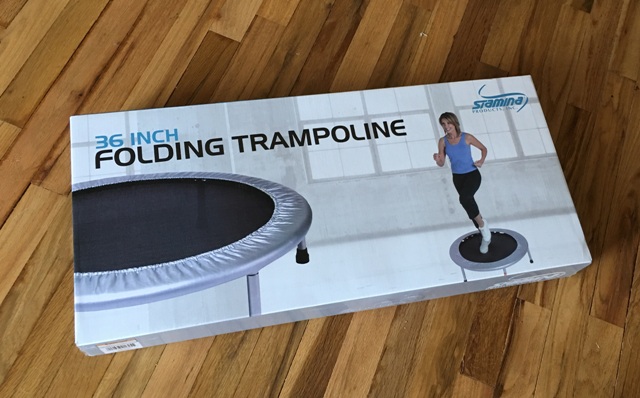
If you remember reading “Having a Fit(bit)” in 2017, you might recognize this little exercise trampoline. Yes, it’s the same one that got towed away from the airport when Foster and Panda flew it to Australia and unknowingly parked it in a prohibited zone. Not to worry, they got it back in “Diamonds and Orange Jackets.” Why did they even have the chance to use the trampoline as a flying carpet? Well, umm, let’s just say it wasn’t being used for anything else.

I could use having chemo, surgery, and losing my hair for the second half of 2023 and the first half of 2024 as an excuse for not exercising, but the truth is, I had put it away months before that. To quote Foster in the story, “After weighing the pros and cons of our different travel devices, we decided to take the trampoline. After all, it wasn’t like Mom ever used it, so we doubted she would notice if it was missing.”
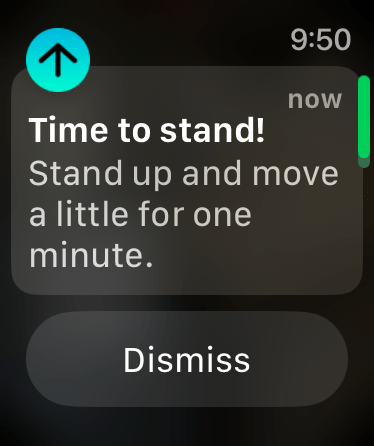
So, I decided it was time to get with the program again. After researching the Apple watch’s capabilities, and after a couple of years of debating whether or not I “needed” one, I finally decided to give it a try. One of the first things I noticed was that, unlike the Fitbit, which is more concerned with your getting a certain number of steps every hour, the Apple watch reminds you to stand up and move around for one minute before the end of each hour if you haven’t already.

Of course, you can set your own goals, but this is what the “activity rings” look like on the watch. On whatever day I took this screenshot, the blue ring shows I had met and exceeded my goal of standing up at least once per hour. The red ring is how much you moved around, not necessarily how many steps you took (although it records your steps, too). Apparently, it’s based more on how much energy you expended, burning what they call “moving calories”. The green ring is for, umm, exercise.

My first exercise minute! When I saw this notice, I had to laugh. Seriously, one minute, after I had been walking on my trampoline and getting all kinds of steps? What constitutes “exercise” for this thing?
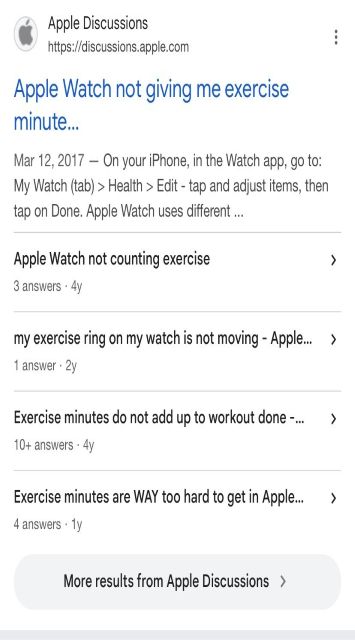
My usual answer to everything is “Google it”. I found that my question was quite common, and after reading some of the articles and forums, it seems that in order for an activity to count as exercise, your heart rate needs to be up to a certain level for a period of time. It doesn’t matter if you think you were exercising, or even if you are out of breath (which is probably just because you’re so out of shape). I think “exercise” on the Apple watch corresponds with “cardio” on the Fitbit, but I could be wrong.
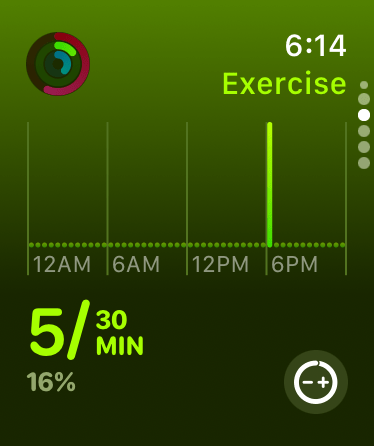
Since I had read that you should exercise for 30 minutes a day, that’s what I had originally set for my exercise goal. As you can see above, that wasn’t going to happen anytime soon.
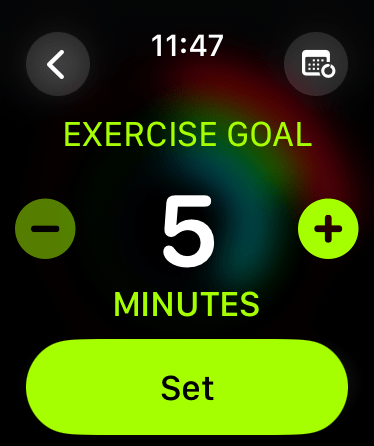
I changed my goal to 15 minutes. Still no success. Not gonna lie, it’s now set at five. I have only met that goal once so far, and that was last night at church. (If you’ve never been to a Pentecostal church service, it may not be immediately apparent why that should make sense.)


But at least now there’s hope. I’ll keep you posted.

I guess I’ve always been somewhat “data driven”, most likely from having been a teacher in public school for 30 years. I enjoy knowing statistics about things, including myself, and I tend to look at my numbers as if I were being graded. So you will understand why I was pleased to see that my Apple watch doesn’t judge me on my sleep habits the way my Fitbit did. It just tells you how long you spent in the different sleep stages and leaves it at that. Which is all I really want to know, anyway.
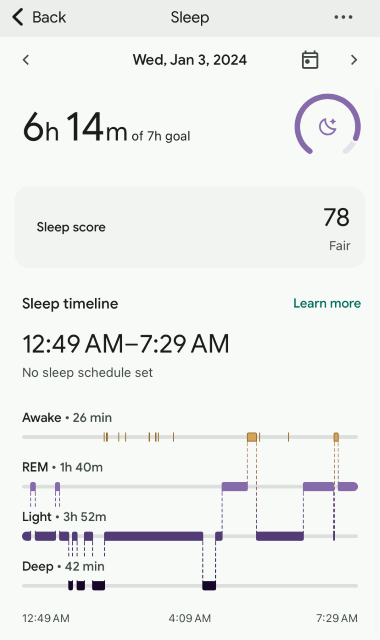

I went back into my Fitbit app to find an example of what I am talking about. They have changed the look of the app, but on the above screenshots from my January 2024 data, you can see that I scored 78% and 80% (fair and good) respectively. Back when I was using the Fitbit, it gave you a smiley face, a medium face, or a frowny face based on how you slept. I was hoping to be able to show you those graphics, but, like I said, they have changed their look. I used to be so excited if I got the smiley face, which you may be able to guess by my sleep hours (don’t judge me) wasn’t that often. I eventually quit wearing it at night because it was frustrating being “graded” by a device on my wrist.

One thing I like to know is my environmental sound levels. But I’m thinking that there may be some glitches, because according to this, the maximum sound level reached 105 decibels on March 22, between 2 and 3:00 AM. If that had been the case, I’m sure I would have woken up. I most certainly wasn’t at a loud party, and to my knowledge my neighbors weren’t having one, either. Surely I don’t snore that loud! But for the most part, it has been pretty accurate.

It all depends on how you have your watch set up, but it does have some handy features, like telling you if your garage door opens or closes. This would be good to know if you weren’t home, but so far, it’s always been me who has opened or closed it.
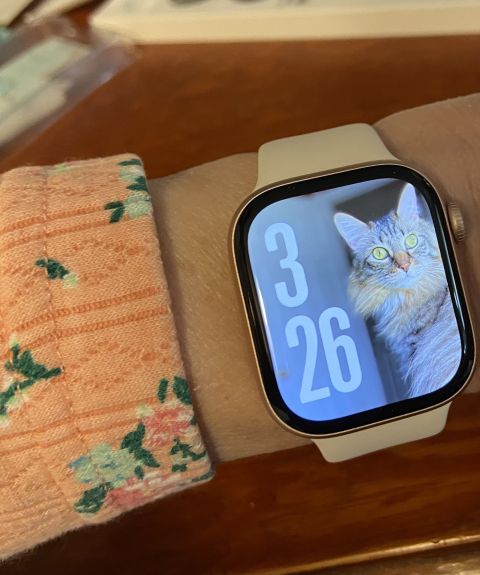
I got the cheaper “GPS” version, where you have to have your phone nearby in order for the watch to connect to internet, but a lot of its features will work without that. And as long as your phone is in the house with you, it’s close enough for the watch to connect. I got it mostly for all the interesting data it tells you, not necessarily to know if anyone texted or called me, anyway. Plus, it doesn’t hurt to have a photo of your “trusty assistant” where you can see it whenever you want.
Note: The featured image at the top of this post is by Marcin Nowak from Unsplash.com. Also, despite being a world famous “influencer”, I do not receive commissions for any brand names mentioned on my blog.
 Nana's Whimsical World
I have one a few years old with alot of that stuff on it. I use it for the time mostly as all the graphs and stuff can you really believe it. I accidentally called 911 with it and they were mad!
Oh no!!😮 I’ve been afraid of doing something like that my mistake too!
Ha, these things are so not me 😁 thanks for the insights and showing all the benefits one gets with these things. So … I’ll stick to my dated wristwatch and simple smartphone (yes they still do exist ) 🤣
Lol I actually think your method is the smart way! I’m interested to see how long I keep up with my exercise goals before I get tired of being told what to do by a device!😂
Gosh, I’m very impressed. Well done you, and your trusty assistant! I don’t know that I would be able to do something like that – probably not even able to turn it on.🤔😄
Lol I have to say it’s been a lot of “trial and error” and Googling stuff 😂🤣 There really isn’t an instruction book that explains it all. I had to watch two or three YouTube videos by random people just to be able to put the protective film over the watch face. ⌚️⏱️
Ah, using things in YouTube. That’s a good idea… I shall remember that in the future.😊